If you’re running Google Ads for your business, you’ve probably asked yourself this at least once. Should I hire someone to handle this, or can I keep doing it myself?
That’s the Google Ads agency vs DIY debate, and it comes up with almost every small business owner we talk to. Budget is part of it, but your available time and PPC experience will influence that decision just as much.
Our team at Wowelle has managed ad campaigns for Brisbane businesses across dozens of industries, so we’ve watched both paths play out firsthand. This guide covers what each option looks like day to day, where DIY ads hit a wall, and how to tell which path fits your business goals.
Google Ads Agency vs DIY: What Are You Really Choosing Between?

The choice between hiring a Google Ads agency and doing it yourself comes down to two things: how much time you have and how fast you need results. And honestly, the answer looks different for every business.
Both options can work, but they ask for very separate commitments from you. Here’s what each side looks like up close.
What a Google Ads Expert Brings to the Table
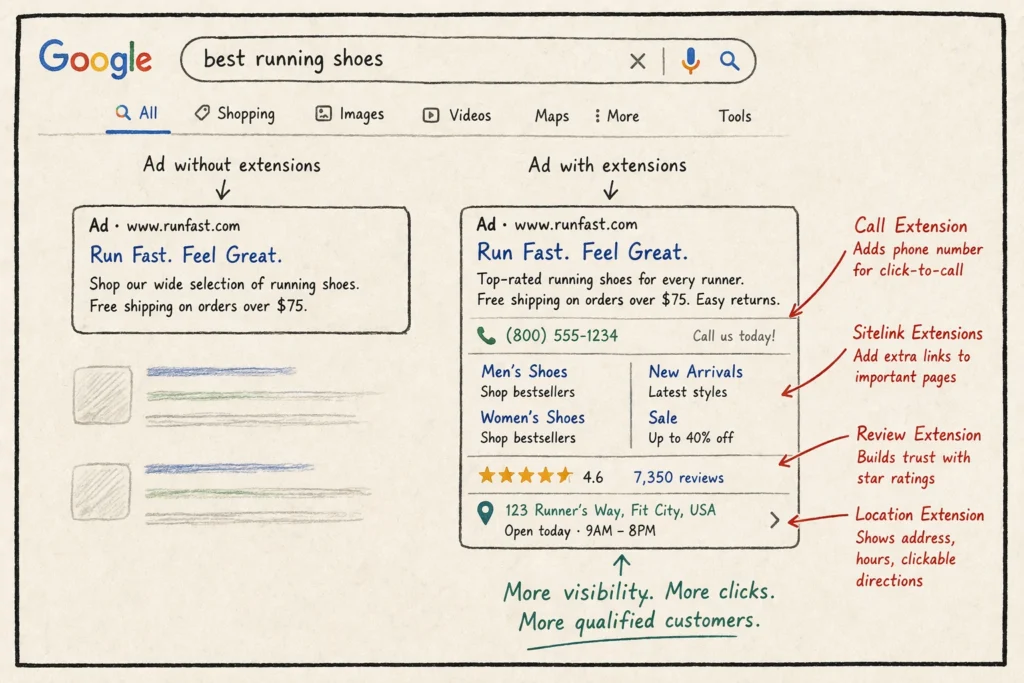
When you hire an agency, you get a Google Ads expert who manages your campaigns full time. That means someone is adjusting bids, reviewing your ad spend, and tracking your target audience daily. Their deep expertise with the platform helps them catch wasted spend early, often before you’d even notice it in your account.
Agencies also bring auction insight reports and competitor data that most business owners can’t access solo.
What Managing Campaigns Yourself Looks Like
Running your own PPC campaign means logging into Google regularly to check what’s working and what isn’t. You’ll handle everything from setting your advertising budget to choosing who sees your ads.
It’s time-consuming, and the early learning curve is steep (one wrong match type setting can drain a week’s budget overnight). But if you have the hours to commit, managing campaigns yourself does give you full control over every dollar.
Now, let’s look at where that DIY confidence starts wearing thin.
Where DIY Google Ads Start to Break Down

Most business owners launch their own DIY Google Ads with confidence. The trouble usually hits around month two, when the small tasks start stacking up, and your current campaigns need more attention than you planned for.
These three areas tend to break down first.
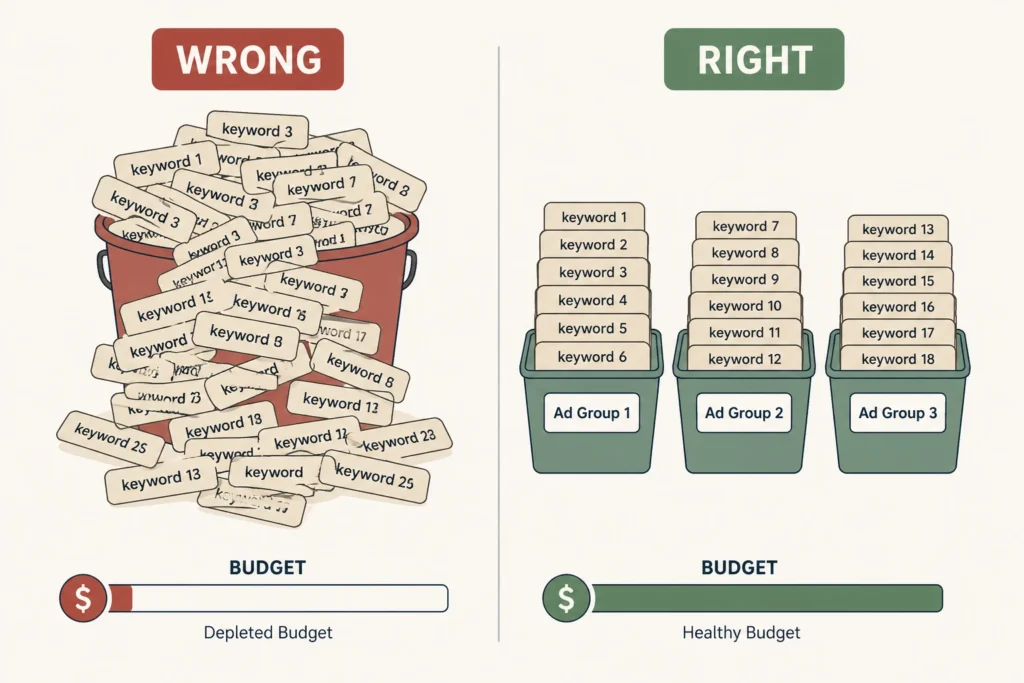
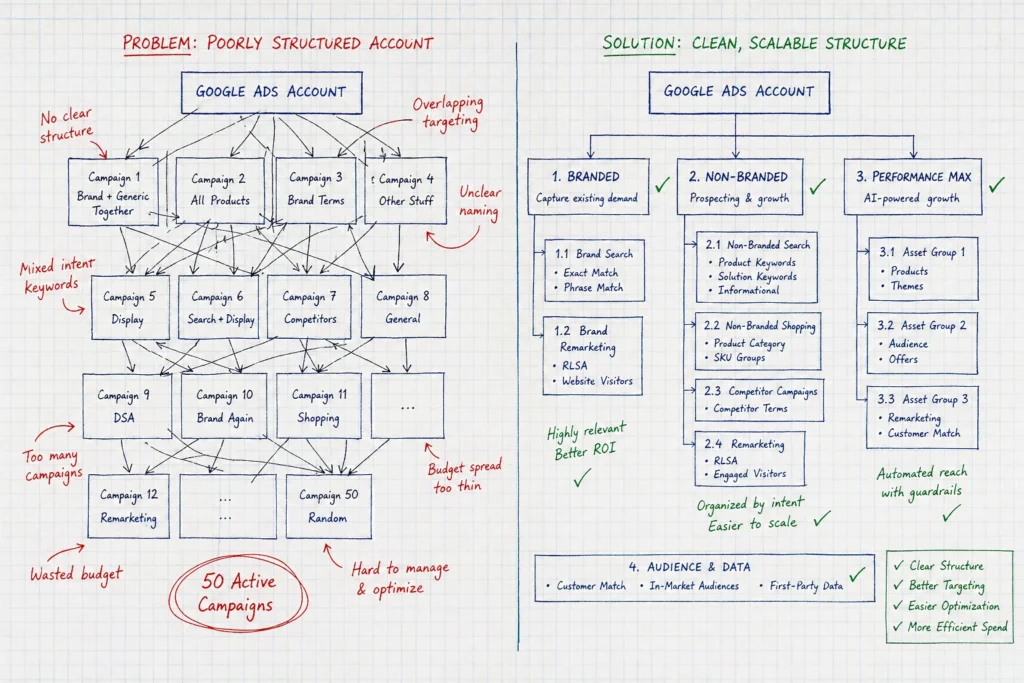
- Keyword Research Piles Up Weekly: You’ll need to review search term reports, sort through new keywords, add negative keywords, and organize your ad groups on a regular cycle. Miss a week or two, and your ads begin showing for searches that have nothing to do with your business.
- Bid Management Requires Daily Attention: Your bidding models need adjustments based on competition, time of day, and device performance. This isn’t something you can set and walk away from. Every dollar spent on a poorly timed bid chips away at your quality score with no return.
- Budget Allocation Drains Your Google Ads Account: Without clear data, most advertisers spread budget evenly instead of pulling money from underperforming campaigns and feeding their top performers (it’s easy to keep funding what’s familiar instead of what’s working). That’s the real opportunity cost of DIY, because you end up chasing vanity metrics instead of profitable results.
After working with dozens of Brisbane businesses on their ad accounts, we’ve seen these exact breakdowns in nearly every DIY setup we’ve audited.
Once you see those gaps, the next question is what the alternative looks like.
What Effective PPC Management Looks Like With an Agency

The main advantage of working with an agency is that someone else takes the daily workload off your plate while you focus on running your business.
Effective PPC management covers far more than clicking buttons in a dashboard, though. It means having a team that can fine-tune your campaign goals, track conversions, and continuously test what’s working to maximize ROI.
Let’s walk through two areas where agency teams tend to pull ahead.
Tracking Campaign Performance and Testing New Channels
Agencies review campaign performance weekly using dashboards that connect ad data to lead generation and revenue. They track key metrics like cost per conversion, audience behaviors, and click-through rate instead of vanity numbers that look good but mean nothing.
In our experience, the accounts that get regular check-ins catch budget leaks way before they become expensive. Yet, most business owners never get around to this part on their own.
Google Partners-certified agencies also test new channels like YouTube, Display, and different ad formats to find new audiences. That commitment to expanding reach and audience segmentation is how they maximize results across the full customer journey.
From there, the question becomes where those clicks land.
Why Landing Pages Get More Attention From Agency Teams
Believe it or not, the ad is only half the job. Landing page optimization is where agencies push for the highest conversion rates, because a great ad means nothing if your page doesn’t convert.
| Area | DIY Approach | Agency Approach |
| Page Testing | Occasional tweaks when something feels off | Ongoing testing of headlines, layouts, and forms |
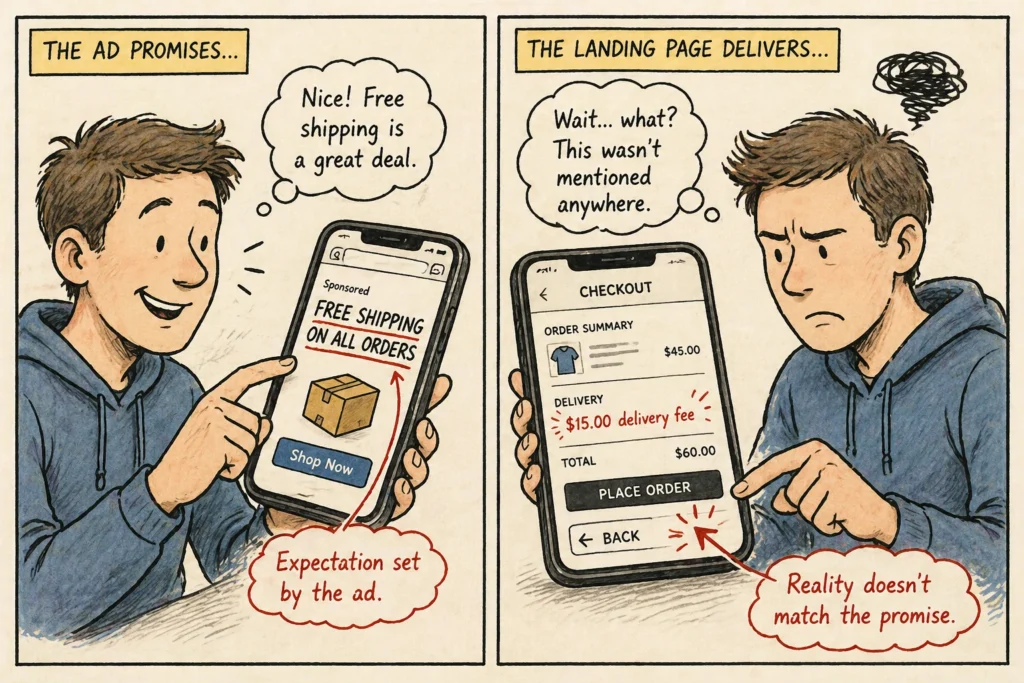
| Ad-to-Page Alignment | Often mismatched messaging | Copy mirrors the exact ad promise |
| Performance Tracking | Basic analytics review | Actionable insights tied to geographic targets and campaign goals |
Agency teams align page messaging with ad copy so visitors see exactly what they expected after clicking.
Small adjustments to headlines, forms, and page speed often improve performance without increasing ad spend (even something as small as a headline tweak). That combination of ongoing testing and data-backed changes is how agencies deliver profitable results consistently.
Making the Right Google Ads Decision
PPC is an evolving art, and there’s no such thing as perfect optimization. Your ppc needs will shift as your business grows. Maybe you’re a high-end fashion retailer expanding to Bing Ads, or a local Brisbane shop tightening your advertising spend on Google alone. Either way, the question is the same: can you keep up on your own?
Our Google AdWords Tips are a good place to start. And when you’re ready for a team to take over, Wowelle is here to help you turn your ad budget into steady returns.